e-akinito

PROPERTY CONDITION RECORD

Every fault.
Every repair.
With its proof.

e-akinito keeps a private record of your building's condition, space by space. Every entry has a date, an author and its evidence: photos, invoices, reports.

In private testing · Coming to Android and iOS

Elevation drawing of an apartment building. A revision cloud tagged 1 marks the bathroom window on the third floor. ±0.00+3.00+6.00+9.00+12.00+15.00 SKOUFA 12 · ELEVATIONSCALE 1:100 1 BATHROOM3RD FLOOR

TIMELINE

Skoufa 12, 3rd floor

BATHROOM › WATER HEATER

  1. Repair done · Water heater

    Condition 5 · As new

    Maria · Owner · 1 × Invoice

    TIERTRADE
  2. Leak · Water heater

    Condition 2 · Poor

    Maria · Owner · 1 × Photo

    TIEROWNER

Same author, different tier: the invoice earned it.
Who replaced the water heater? When did the damp first show? Was the leak fixed, or patched?

Today the answers are lost in messages, drawers and memory. e-akinito keeps them in one record, with the proof beside every entry.

THE APP · ANDROID AND iOS

Coming soon to Android and iOS.

The app is being redesigned for its release on phones. These are screens from the new design: a home for every building, one sheet for every entry, and the paperwork kept beside it.

  • AndroidSOON
  • iOSSOON
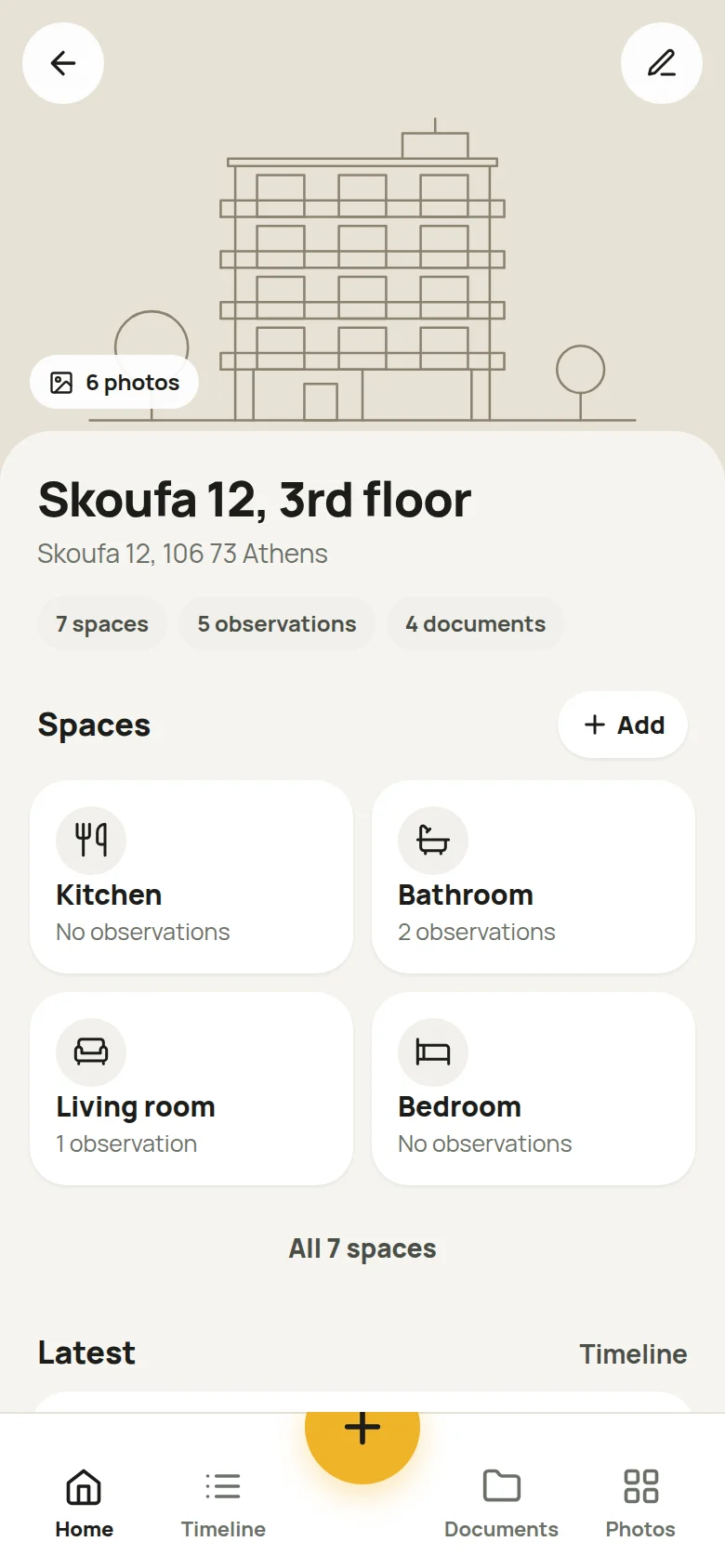
  1. The Home screen of a building in the app: cover photo, spaces, latest entries and documents.
    01

    A home for each building

    The cover photo, the spaces at a glance, the latest entries and the documents, on one screen.

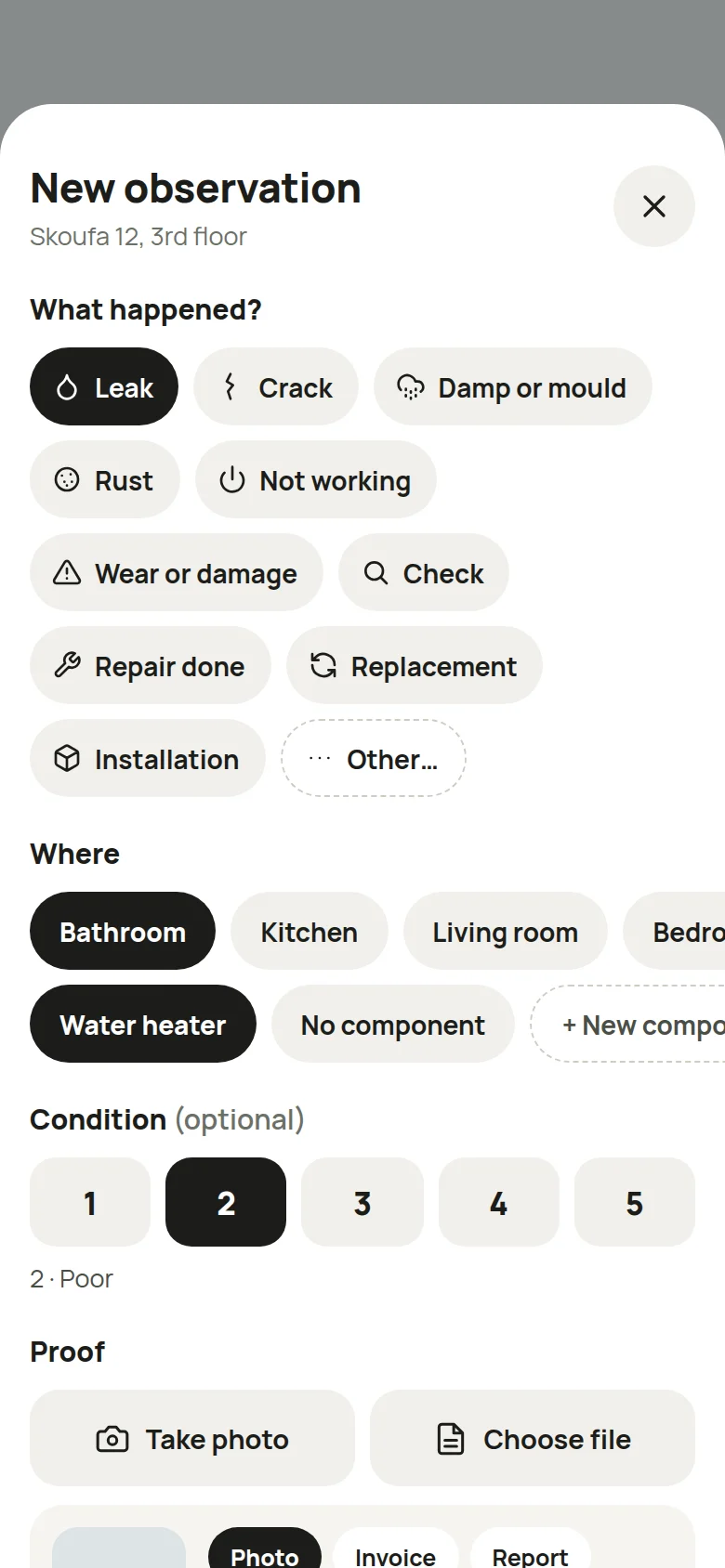
  2. The New observation sheet: what happened, where, the condition and the proof.
    02

    One sheet for a new entry

    What happened, where, the condition and the proof. Mostly taps, all in a single sheet.

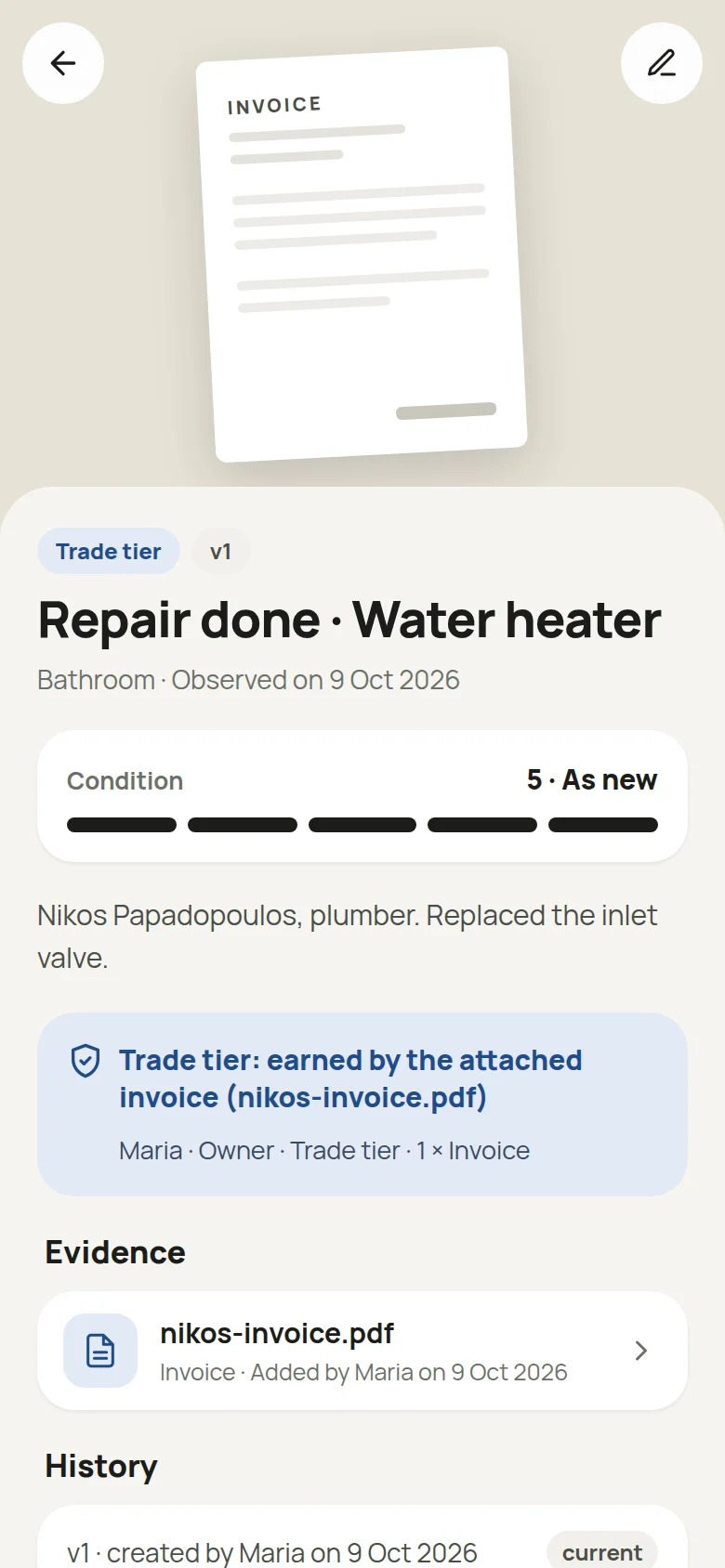
  3. An observation in the app: Trade tier earned by an attached invoice, the evidence and the history.
    03

    The proof beside the entry

    The tier comes from the attached file, and every change stays in the history.

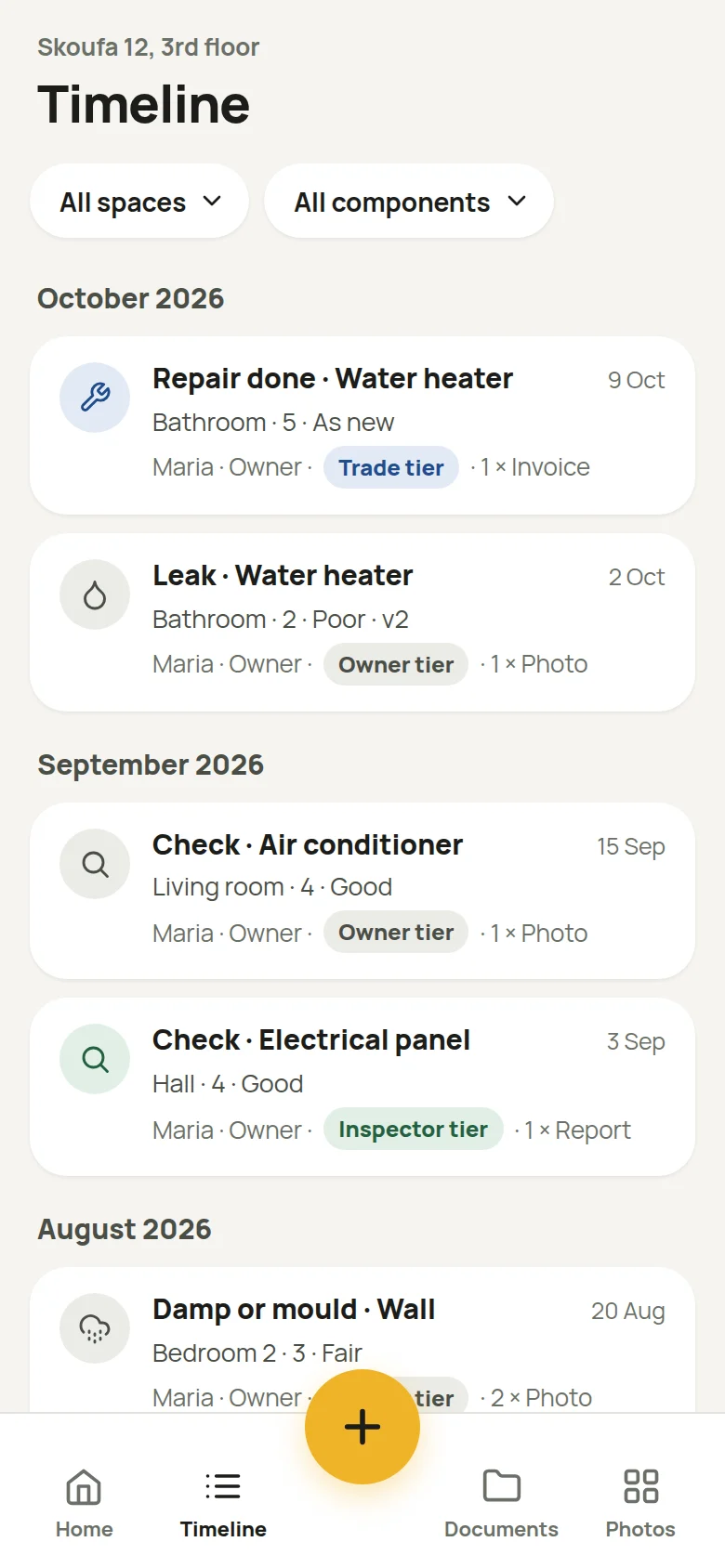
  4. The Timeline screen: observations grouped by month, with filters for space and component.
    04

    The whole history

    Every observation in the building, month by month, filtered by space and component.

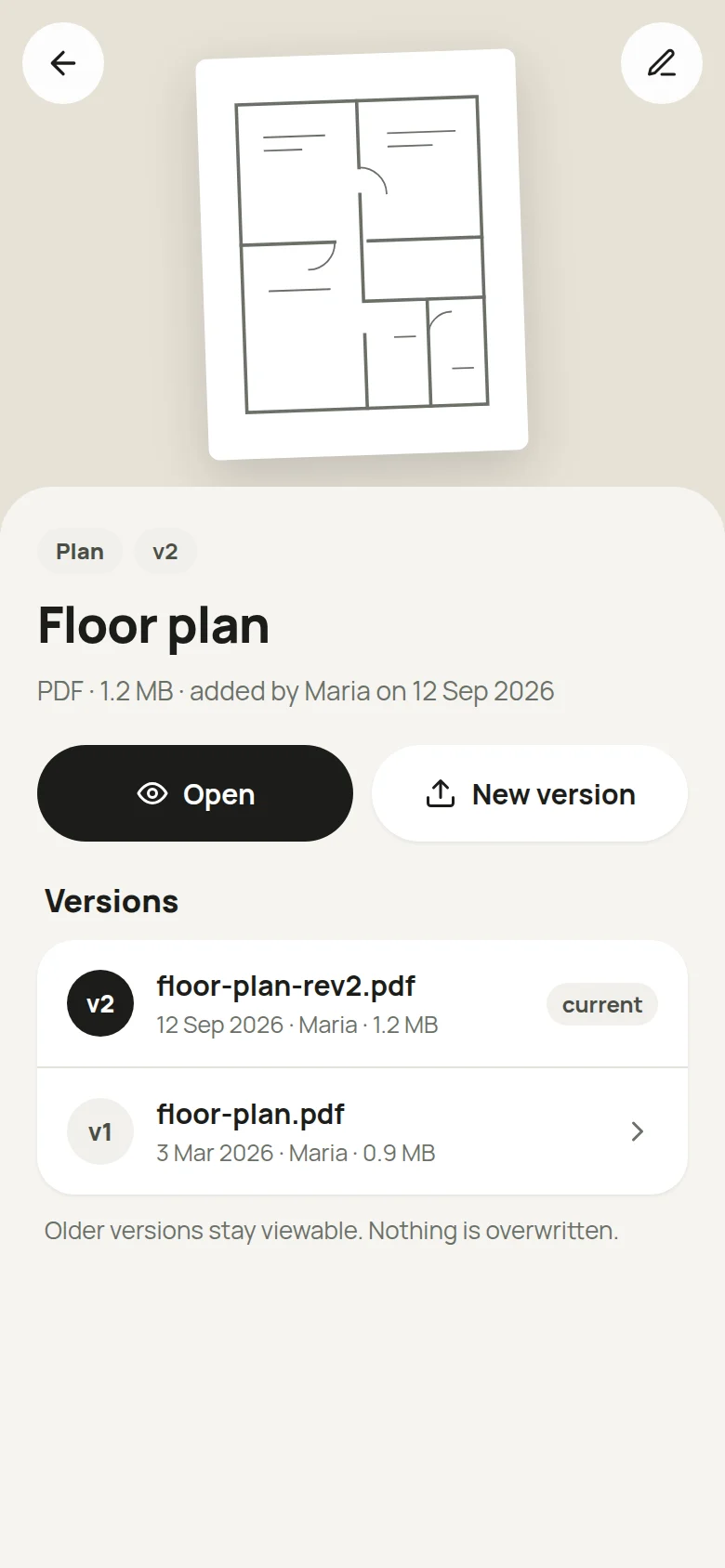
  5. A floor plan document in the app, with its current version and an older one.
    05

    Documents with versions

    Plans, bills, contracts and certificates. A newer copy becomes a new version; the older ones stay viewable.

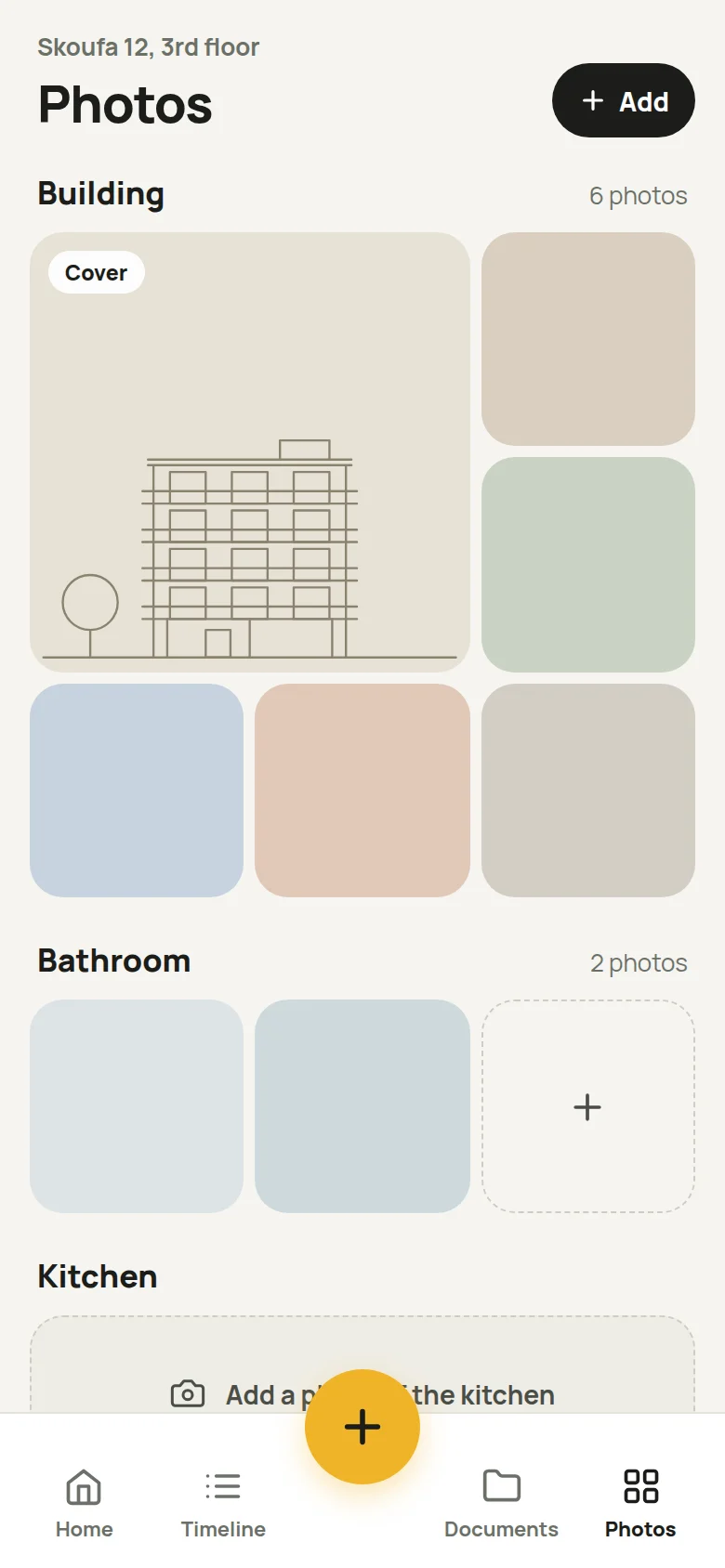
  6. The Photos screen: the building’s cover and photos, then photos for each space.
    06

    Photos by space

    A cover and photos for the building and for each space, kept apart from the evidence.

Screens from the new design. Names and entries are examples.

01 · HOW IT WORKS

Four steps, mostly picked from a list.

The app asks for the minimum. You type only when something isn't on the list.

  1. 01

    Your building and its spaces

    Add the property and pick its spaces: kitchen, bathroom, balcony, storage.

  2. 02

    What each space holds

    Water heater, boiler, air conditioner, windows: anything that deserves a history of its own.

  3. 03

    What happened

    Leak, crack, damp, repair, replacement. A date and, if you like, a condition from 1 to 5.

  4. 04

    The proof

    A photo from the camera, an invoice or a report as a PDF. Stored privately and opened inside the app.

  1. BUILDING
  2. SPACES
  3. COMPONENTS
  4. OBSERVATIONS
  5. EVIDENCE

02 · TIER

The tier belongs to the entry, not the person.

Each observation earns its tier from the evidence attached to it, not from who its author says they are. No credentials are checked: the paperwork speaks.

  1. TIEROWNER

    EVIDENCEA note or a photo

    The baseline for every entry.

  2. TIERTRADE

    EVIDENCEAn invoice

    An attached invoice lifts the entry to the Trade tier.

  3. TIERINSPECTOR

    EVIDENCEA report

    An attached report earns the highest tier, Inspector.

03 · TIMELINE

The timeline hides nothing.

Every observation in the building, newest first, filtered by space and component.

  • An edit becomes a new version; the earlier one stays visible.
  • Conflicting observations both stay on the record.
  • The history shows who added or removed each file.

HISTORY

Repair done · Water heater

  1. 10 Oct 2026 · v2Edited by MariaCondition: 4 › 5
  2. 9 Oct 2026Invoice: added by MariaTier: Owner › Trade
  3. 9 Oct 2026 · v1Created by MariaCondition 4 · Good

04 · PRIVACY

Private by default.

The record is yours. Nothing is published.

  • Only you

    No other user can see your building or its entries.

  • No password

    Sign in with your email and a six-digit code we send you.

  • Private files

    Photos and PDFs are stored privately and open only through links that expire.

  • Data in the EU

    The database and files are hosted in Frankfurt.

STATUS

In private testing.

The app is in private testing, in Greek and English, and is coming to Android and iOS. For questions or to work with us, write to us.

info@mentalbound.com